Agency Client Reporting
Professional security reports your clients will trust
Scan any client's website and deliver detailed security assessments with professional PDF reports. Use the API to batch scan multiple domains and build security reporting into your agency workflow.
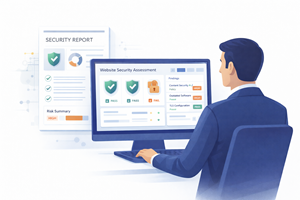
Scan any client site in seconds
Enter any URL and get a full security assessment instantly. No access or installation needed on the client's servers. Evaluate headers, TLS, DNS, and cookies in one scan.
Client Portfolio
PDF exports with detailed findings
Export a professional report to share with clients. Includes the overall score, findings by security domain, and specific improvement steps. Clear enough for non-technical stakeholders.
PDF Preview
Security Assessment
Generated March 21, 2026
Overall Score: 92/100
acme-corp.com
Key Findings
HSTS enabled with long max-age
Content-Security-Policy configured
Permissions-Policy header missing
Recommendations
Batch scanning via API
Use the API to scan multiple client domains programmatically. Build a script that loops through your client list and generates reports automatically.
Batch Scan Script
#!/bin/bash
CLIENTS=("acme-corp.com" "westside-design.co"
"freshbake-shop.com" "metro-legal.com")
for site in "${CLIENTS[@]}"; do
echo "Scanning $site..."
curl -s -H "X-API-Key: $SSS_KEY" \
https://api.sitesecurityscore.com/v1/scan \
-d '{"url": "https://$site"}' \
-o "report-$site.json"
done
echo "All scans complete!"
Your agency reporting workflow
How it works
Scan your client's site
Enter any public URL. No access needed on the client side.
Review the findings
Get a breakdown with grades per security domain and prioritized recommendations.
Deliver the report
Export a PDF or share a protected link with your client.
Frequently asked questions
Can I scan client sites without their permission?
SiteSecurityScore performs a passive analysis of publicly available information, similar to visiting the website in a browser. It does not perform intrusive testing or exploit vulnerabilities. However, as a professional courtesy, we recommend informing clients that you are evaluating their website's security headers as part of your services.
How many sites can I scan per month?
Web UI scans are unlimited on all plans. API scans depend on your plan: Free includes 50 calls per month, Pro includes 1,000, and Business includes 6,000. For agencies managing many clients, the Business plan at $29/month provides enough capacity to scan dozens of client sites regularly.
Can I white-label the reports?
PDF reports currently include SiteSecurityScore branding. White-label reports with your agency's branding are on our product roadmap. In the meantime, you can use the API to retrieve raw scan data and build custom reports with your own branding and templates.
How do I present security findings to non-technical clients?
The PDF report is designed to be accessible to non-technical readers. It uses letter grades (A+ through F) that are immediately understandable, organizes findings by severity, and provides plain-language descriptions of each issue. Focus the conversation on the overall grade and the top 2 to 3 highest-impact recommendations rather than technical header names.
Related use cases
Start scanning client sites
Scan any website and deliver professional security reports. Free, unlimited web UI scans.
Scan your site free